
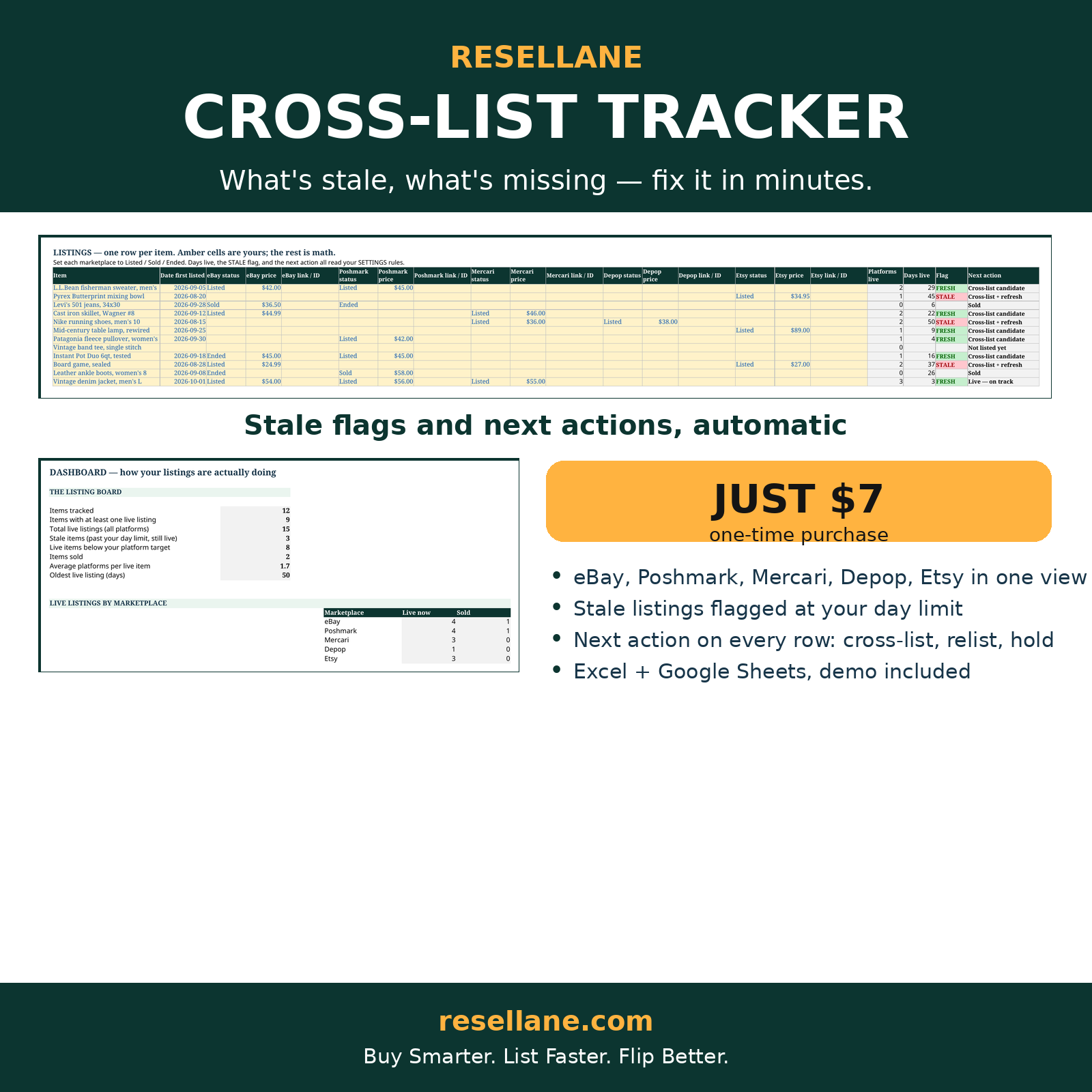
The real sheet, filled with 12 live listings — stale ones flagged, next actions spelled out.
What's listed where — and what's gone stale?
eBay, Poshmark, Mercari, Depop, and Etsy in one view — with stale flags and a next action on every row.
- Status, price, and link for all five marketplaces on one row per item
- Stale flags at your own day limit — listings age automatically
- A next action on every row: cross-list, relist, drop price, or leave it
- Dashboard: live listings per marketplace, stale count, oldest live listing
- Clean workbook + filled 12-item demo + Start Here PDF
- Includes Excel + Google Sheets versions — every purchase comes with both workbooks and a one-click Sheets copy link.
Secure checkout via Payhip. Your digital downloads are delivered automatically after purchase.
Not ready to buy? Try the free calculator first — no signup needed.
Already bought it? Tell us how it's going — 2 minutes, shapes what we build next.
One workflow, two tools.
Every platform, one row
Status, price, and listing link for eBay, Poshmark, Mercari, Depop, and Etsy side by side. No more checking five apps to answer "where is this listed?"
Stale flags, automatic
Days live updates itself. Anything past your limit is flagged STALE the day it crosses — not whenever you happen to notice.
Next action, spelled out
Cross-list + refresh, relist or drop price, cross-list candidate, or on track. Open the sheet weekly and work the queue top-down.
Before you buy
What exactly do I get?
The Cross-List & Relist Tracker workbook (START HERE, SETTINGS, LISTINGS with 100 rows, and DASHBOARD tabs), a filled demo with 12 items in various states — fresh, stale, sold, and not-yet-listed — and a Start Here PDF guide. Excel (.xlsx) and Google Sheets versions.
Can I use Excel or Google Sheets?
Yes. Open the .xlsx files in Microsoft Excel, or upload them to Google Drive and open in Google Sheets. Formulas and dropdowns work in both. Editing is easiest on a computer.
How do I receive the files?
Payhip delivers your digital downloads automatically after checkout. No physical item is shipped.
Do I need the other Resellane tools?
No — the Cross-List Tracker stands alone at the listing stage. The Sourcing Log decides the buy, this tracker manages the listings, and the Profit & Inventory Tracker follows the money after the sale. Use one, or run the full lane.
Where can I get help?
Contact support@resellane.com for access or product functionality questions.