
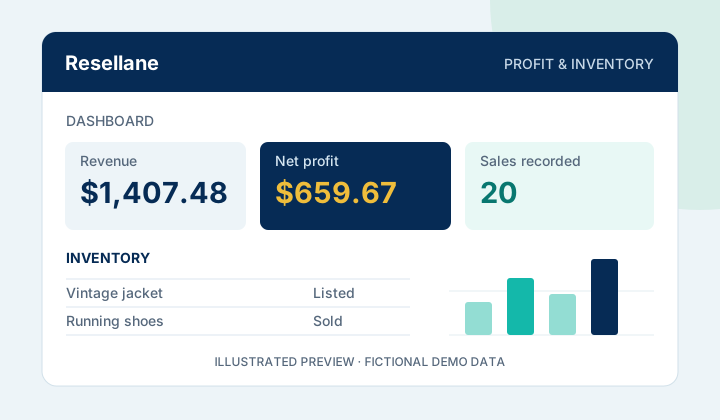
Track your business
Profit & Inventory Tracker
Keep inventory, sales, fees and real profit together. See how your resale business performs over time.
- Inventory + sales dashboard
- Clean templates + filled demos
- Google Sheets + Excel included
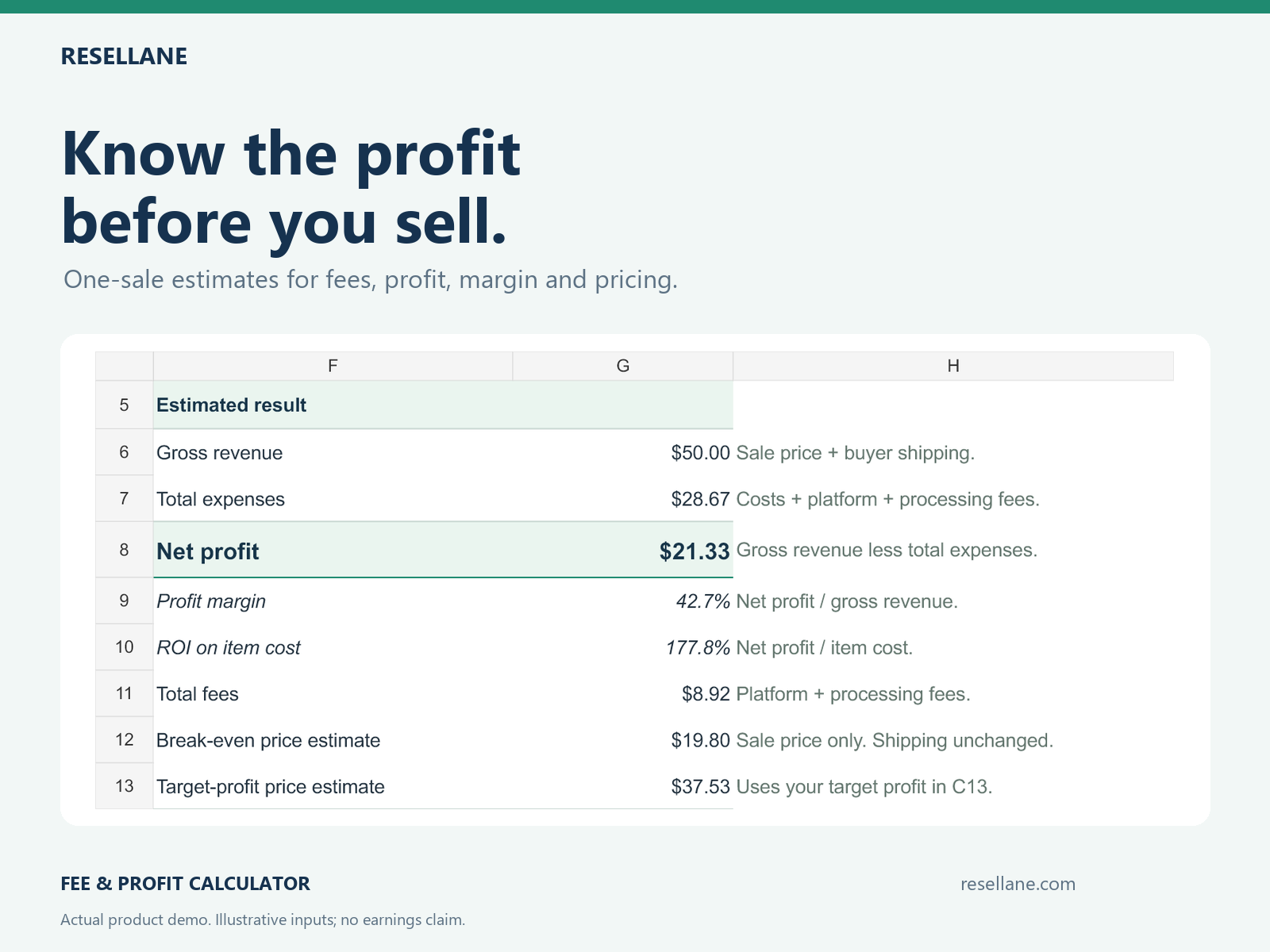
Select a preview to explore the calculator. Open the large image to see it at full size.
Know what every sale really earns. Estimate fees, profit, margin, and ROI before you list or accept an offer.
Secure checkout via Payhip. Your digital download is delivered automatically after purchase.
Enter the details of one sale and test how an offer changes the estimated result.
See gross revenue, total fees, total expenses, and estimated net profit. A visible fee bridge shows where the money goes.
Compare profit margin against sale price plus buyer shipping, and ROI against your item cost.
Estimate a break-even item price or the item price needed for a dollar-profit goal using your entered costs and fee assumptions.
Change the sale price, shipping, item cost, or fee assumptions to compare another scenario.
The worked demo uses a hypothetical $45 item sale plus $5 buyer shipping. Its stated costs and fee assumptions produce $21.33 estimated net profit. This example is not a promise of earnings.
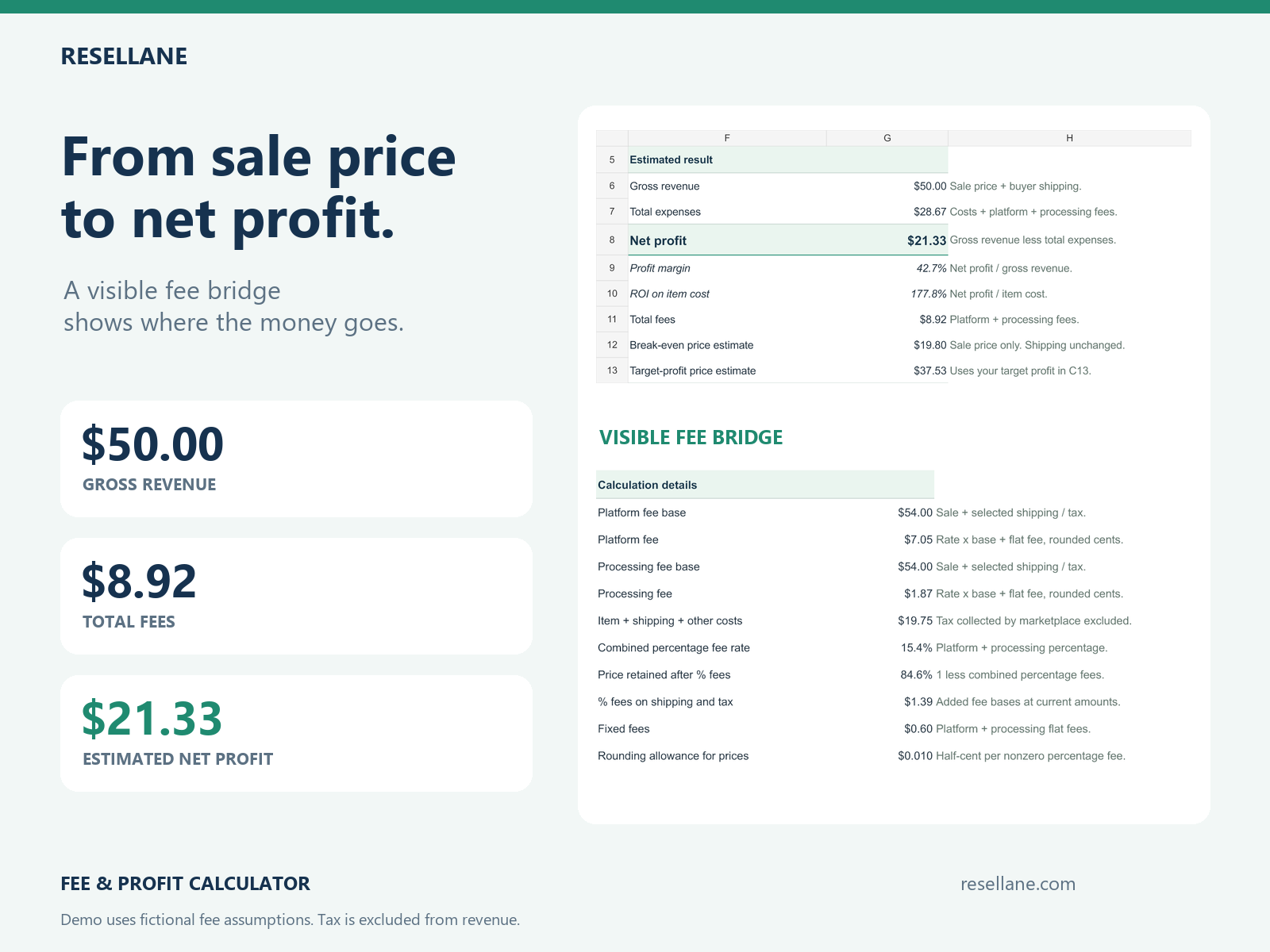
A downloadable Excel (.xlsx) calculator with one tab, editable inputs, and clearly marked formulas. Open it in Excel or upload it to your own Google Sheets.
A separate .xlsx worked example with fictional sale details, costs, fee assumptions, and calculated results to help you get started.
A four-page Quick Start PDF and plain-text START HERE instructions explain setup, inputs, fee bases, and the calculator’s limits.
Use a computer for the easiest spreadsheet editing. No macros or add-ins are required.
Save an Excel copy or upload the included .xlsx to your own Google Sheets file.
Enter one sale, item cost, shipping, your profit goal, and current fee assumptions.
Review profit, margin, ROI, and the fee bridge. Keep your entered assumptions in view.
Change one assumption and compare. Re-enter a suggested target price to check its estimated profit.
Yes. Open the included .xlsx files in Microsoft Excel, or upload them to Google Drive and open them in Google Sheets. An Excel license is not included; a Google account is needed to save and edit a Sheets copy. Use a computer for the easiest editing.
No. This calculator works on its own and includes its required inputs, worked demo, and instructions. The Profit & Inventory Tracker is an optional companion for recording inventory and completed sales over time.
No. Enter your current platform and processing rates and fixed fees manually. Choose separately whether buyer shipping and marketplace-collected tax belong in each percentage-fee base. Confirm the current rules and actual charges for your selling account.
They are approximate item-price estimates that assume your entered shipping, tax, costs, and fee rules stay fixed. Fees round separately to cents, and reverse prices include a small rounding allowance, so a suggested price may exceed the lowest sufficient price by a few cents. Re-enter the suggested price and recheck profit after changing any assumptions.
This is a one-sale pricing tool. It does not include inventory history, a monthly dashboard, automatic fee updates, or a multiple-marketplace comparison table. It does not model every fee tier, cap, minimum, return, refund, currency conversion, or changing tax and shipping amount. Marketplace-collected and remitted tax is a fee-base input, never seller revenue.
Payhip provides your digital download after purchase. The package includes the clean calculator, filled demo, Quick Start PDF, and START HERE instructions. This is a digital product; no physical item is shipped.
Contact support@resellane.com for access or product-specific functionality. Custom bookkeeping, marketplace account help, and bespoke spreadsheet consulting are outside the support scope. The calculator is not tax, accounting, legal, or financial advice, and no marketplace affiliation or income guarantee is implied.
Pair a one-sale pricing decision with an ongoing record of inventory and profit.
Track your business
Keep inventory, sales, fees and real profit together. See how your resale business performs over time.